How to convert currency without internet
Download the exchange rates while you still have a connection, then convert from the saved copy. Any converter that stores rates on your phone keeps working in airplane mode, in a tunnel or abroad with roaming off. A web search can't, because it asks a server every time you type.
Here is how to set that up on an iPhone or an Android phone, what still works once you're offline, and what to do if you're already somewhere without signal.


Updated
Before you lose signal
- Install Currency Offline from the App Store (iPhone, iPad) or Google Play (Android).
- Open it once on Wi-Fi or mobile data. It downloads rates for 170+ currencies and 45+ cryptocurrencies.
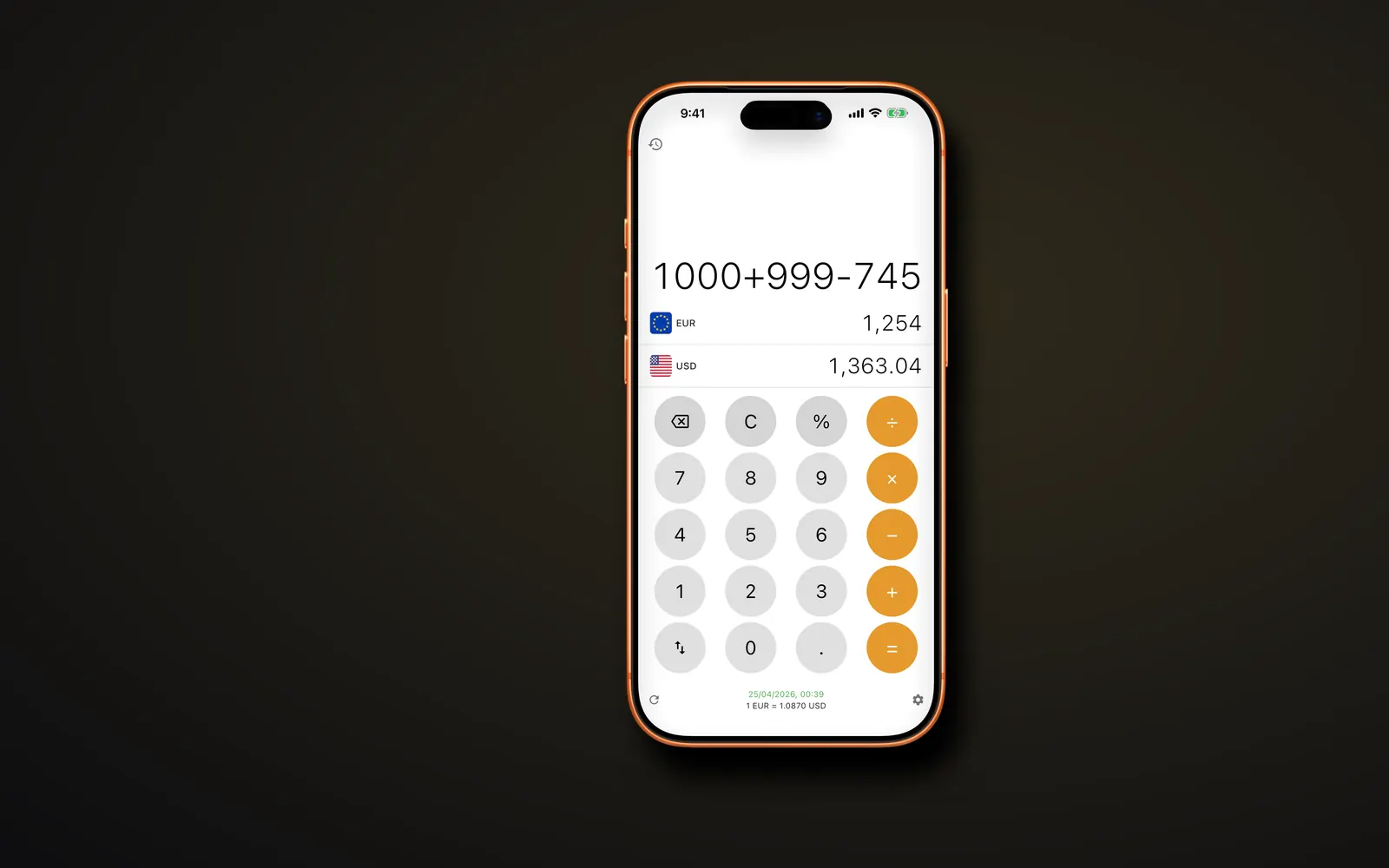
- Look at the line under the keypad: it shows the rate and when it was fetched.
- Set the two currencies for your trip. The free version uses your local currency and the US dollar; Premium lets you pick any pair.
- Turn on airplane mode, close the app, open it again and type a test amount.
What works in airplane mode
Everything that involves typing and converting: amounts, sums with + − × ÷, the % key, swapping the two currencies and, with Premium, switching to another currency or opening your history.
Three things need a connection: refreshing the rates, buying or restoring Premium, and loading the banner ad in the free version. None of them stops the converter from working.
If you're already offline and never saved rates
Opened for the very first time with no connection, Currency Offline starts with fixed reference rates for 16 major currencies, including the dollar, euro, pound, yen and Swiss franc. Treat those as a rough guide only.
For real numbers, look for a few minutes of Wi-Fi: airports, hotels, cafés and many train stations have it. Once the full set is downloaded you can go offline again for the rest of the trip.
No Wi-Fi at all? Work it out by hand with a rounded rate. Our guide to converting currency manually shows the formula and a few shortcuts.
How long saved rates stay useful
For most trips, rates from the day you left are close enough for menus, taxis and shop prices. Major currencies rarely move more than a percent or two in a week.
Fast-moving currencies and crypto are different, so refresh whenever you pass a hotspot. If the saved rates are more than 24 hours old, the app shows a banner with a one-tap refresh.
A paper backup
Before a long trip, some travelers write a small cheat sheet: 1, 5, 10, 20, 50 and 100 in the local currency next to the amount in their own. It takes a minute in the app and works when the phone battery doesn't.
Questions
Does a currency converter work in airplane mode?
Only if it saves rates on the phone. Currency Offline does, so it converts in airplane mode as long as you opened it once with a connection. Web converters and search engines need a signal for every lookup.
Can I convert currency offline on Android?
Yes. The Google Play version works the same way as the iPhone app: open it once online, then it converts with no signal. It runs on Android 7 or later.