Currency Offline questions and answers
Short answers about how the app works offline, how often rates change, what the free version covers and how the monthly and lifetime Premium options work. If something isn't here, email [email protected].


Updated
Does Currency Offline work without internet?
Yes. The app saves exchange rates on your phone and does every conversion on the device, so it keeps working in airplane mode, with roaming off or with no signal at all. You need a connection the first time you open it, to download the full set of rates. How offline conversion works
How often are the exchange rates updated?
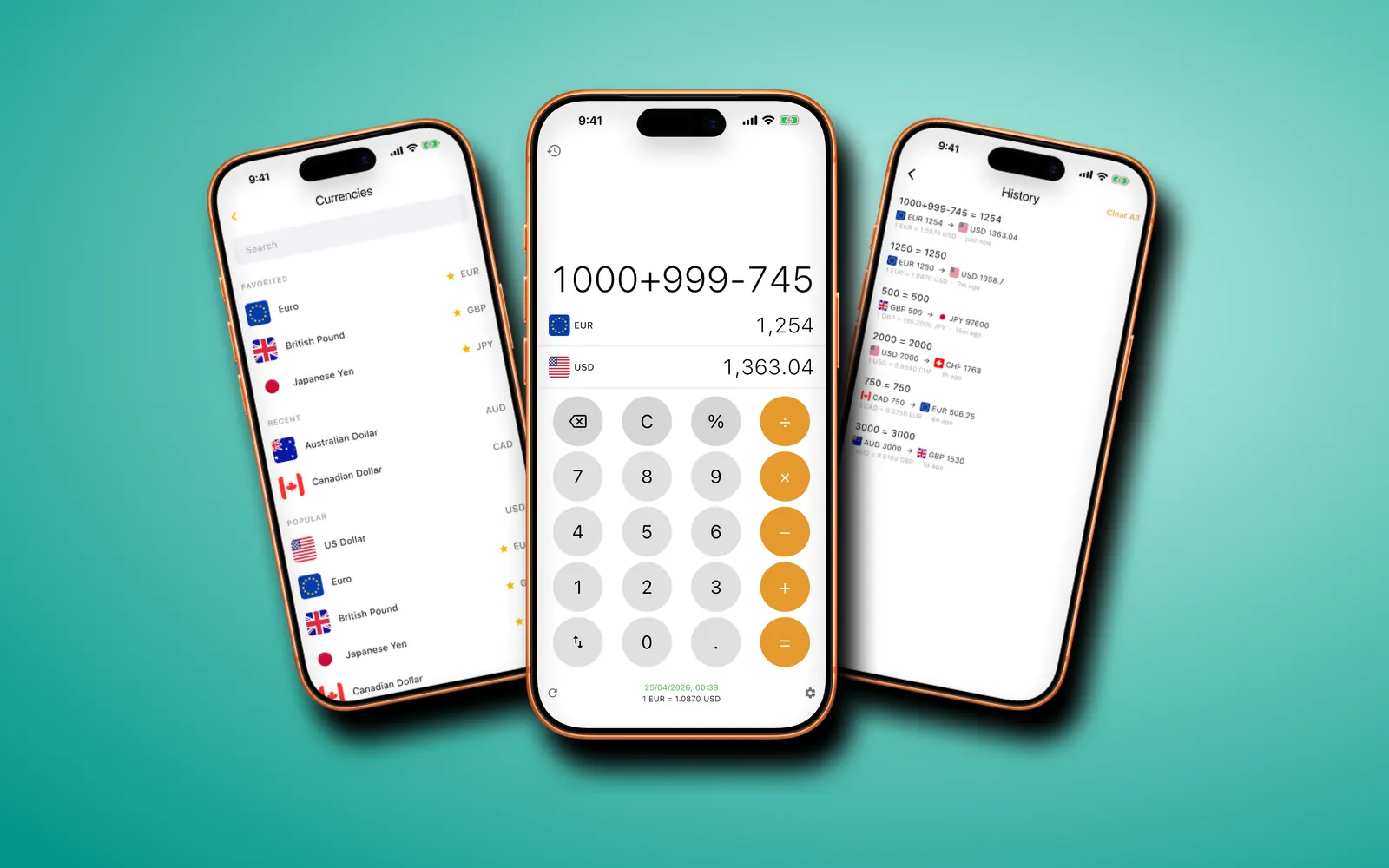
Every 4 hours while your phone has a connection, and any time you tap refresh. The line under the keypad shows the rate and when it was fetched. If the saved rates are more than 24 hours old, a banner tells you so.
Which currencies does it support?
170+ fiat currencies and 45+ cryptocurrencies, including Bitcoin, Ethereum and Solana. You can search by currency name, three-letter code or country. The full list and crypto are part of Premium. Crypto converter
What does the free version include?
One currency pair picked from your phone's region: your local currency and the US dollar, or the US dollar and the euro if your local currency is the dollar. You get the calculator keypad, offline use and automatic rate updates. A banner ad sits at the bottom of the screen.
How much does Premium cost?
Premium comes as a monthly subscription or a one-time lifetime purchase. The App Store and Google Play show the price in your currency before you pay. Premium unlocks every currency, crypto and conversion history, and removes the ad.
Can I use it on Android and iPad?
Yes. It's on the App Store for iPhone and iPad (iOS 14 or later) and on Google Play for phones and tablets running Android 7 or later.
Does the app have a calculator?
Yes. The keypad handles +, −, ×, ÷ and %, so you can type 1000+999−745 or 4500+15% and see the answer in both currencies as you type. Currency calculator
Which languages is the app in?
16: Arabic, Chinese, English, French, German, Hindi, Indonesian, Italian, Japanese, Korean, Polish, Portuguese, Russian, Spanish, Turkish and Vietnamese. Some come in regional versions, such as Swiss German, Canadian French and Brazilian Portuguese.
Do I need an account?
No. There's nothing to sign up for. Favorites, history and settings stay on your phone. The privacy policy explains how ads and analytics handle data.
Are the rates the same as my bank's?
No. They're reference exchange rates, which are good for checking prices and splitting bills. Banks, card providers and exchange booths add their own margin and fees, so the amount on your statement can be a little different.
How do I cancel the monthly subscription?
In your App Store or Google Play account settings, at least 24 hours before it renews. The lifetime purchase is paid once and never renews, so there's nothing to cancel.
Can I restore Premium on a new phone?
Yes. Install the app, open the Premium screen and tap Restore access while signed in to the same App Store or Google Play account you bought it with.
Why does the app say rates may be outdated?
The saved rates are more than 24 hours old. Tap the banner while you have a connection to fetch new ones. You can keep converting with the old rates in the meantime.
Does the free version keep a conversion history?
No. History is part of Premium. It keeps each finished sum with both amounts and the rate used.
Can I change the app's language?
Yes. Settings has a Language list with all 16 languages and their regional versions.
Is there a dark mode?
Yes. In Settings, under Theme, choose light, dark or follow the system.
How do I contact support?
Email [email protected]. Tell us your phone model and what you were trying to convert, and we'll reply by email.