What makes a good offline currency converter app
A good offline currency converter still gives you a number with airplane mode on, tells you how old that number is, and covers the currencies on your trip. Plenty of converters only work online, so test that first.
Below are the checks we'd run on any app, ours included, with notes on where Currency Offline does well and where it falls short.


Updated
1. Test it in airplane mode
Install the app, open it once with a connection, then switch on airplane mode, close the app completely and open it again. If you get a spinner or an error instead of a number, it isn't an offline converter, whatever the listing says.
2. See how it shows the age of its rates
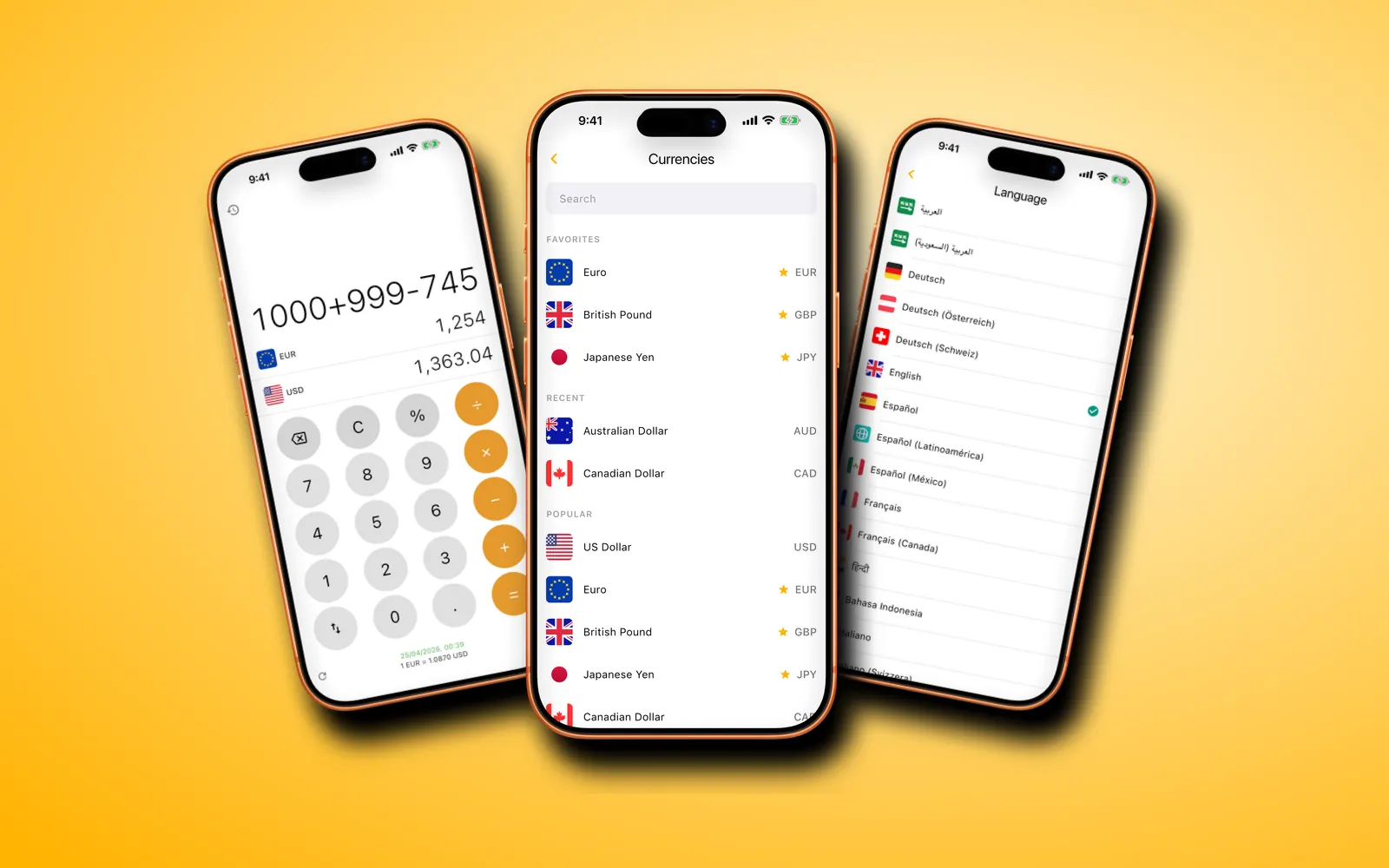
Offline rates are only as fresh as the last download. A good app shows when they were fetched and warns you when they're old. Currency Offline prints the fetch time under the keypad and shows a banner once rates are more than 24 hours old.
3. Make sure your currencies are there
Most apps cover the big currencies. Check the less common ones on your route, and whether you can search by country as well as by code. Currency Offline has 170+ fiat currencies and 45+ cryptocurrencies, searchable by name, code or country with Premium.
4. Look for a calculator keypad
Prices abroad come as sums: several items, a tip, a bill to split. A keypad with + − × ÷ and % saves switching to a calculator app. Currency Offline converts the whole sum as you type it.
5. Read what the free version actually includes
Free converters usually pay for themselves with ads or limits. Currency Offline's free version converts one pair (your local currency and the US dollar) with a banner ad. That's a real limit if your destination uses another currency, and it's the main reason to buy Premium.
6. Compare how you pay
Some apps are subscription-only, some charge once. If you travel a few times a year, a one-off purchase is often cheaper over time; for a single trip, a month may be enough. Currency Offline offers both: a monthly subscription and a one-time lifetime purchase, priced by the App Store or Google Play in your currency.
How Currency Offline does on these checks
| Check | Currency Offline |
|---|---|
| Works in airplane mode | Yes, after opening it once online |
| Shows rate age | Fetch time under the keypad, banner after 24 hours |
| Currencies | 170+ fiat and 45+ crypto (Premium for the full list) |
| Calculator | + − × ÷ and %, results in both currencies |
| Free version | One pair (local currency and US dollar), banner ad |
| Paid options | Monthly subscription or one-time lifetime purchase |
| Devices | iPhone and iPad (iOS 14+), Android 7+ |
| Limits | Two currencies on screen at a time |
Questions
Is there a free offline currency converter?
Yes. Currency Offline's free version converts between your local currency and the US dollar with no connection, with a banner ad. Other currencies and crypto need Premium.
How do I check if a converter really works offline?
Open it once with a connection, then turn on airplane mode, close the app fully and open it again. If it still converts and shows when its rates were saved, it works offline.